
FAQ
Whenever something goes wrong, the first step is always to tell your persona what's happening: the exact error, what you did, and what you expected. It can see a lot that you can't, and it can usually figure out most problems on its own.
Installing and launching
Mac asks whether you're sure you want to open it macOS asks this for every app downloaded from the internet. Click Open. The app is signed and notarized by Apple.
Windows says "Windows protected your PC" Click More info → Run anyway.
The persona won't talk
"has no model selected and cannot reply" Go to Personas → that persona → the AI tab and pick a model.
Getting a 401 error, or "bad key" Go to System Settings → Model providers → API credentials, and click Test on that entry. If it fails, re-copy and paste the key, watching for extra spaces at either end. If you're on a subscription, check whether Claude subscription still shows On and logged in.
Getting a 400 error, on and off Usually the gateway or provider is temporarily rejecting requests — try again shortly. If it keeps happening, switch to a different route, or send the raw error to your persona.
A reply says "The connection kept dropping — tried 6 times and could not get through" When the model service drops mid-reply, the app retries on its own and removes the half-shown text. You only see this note after 6 failed tries; send the message again in a moment.
Changed a setting and it didn't take effect For access method, model, or search settings, reopen that persona after making the change.
Memory
It doesn't remember what we just said When a conversation runs long, the persona reorganizes its context and starts a fresh thread — the raw chat text doesn't all carry over, but anything important has already been saved to memory. To make sure something sticks, say "Remember: …" explicitly.
It remembers something wrong Just correct it directly: "No, it should be…". It will overwrite the old memory.
Channels
The bot isn't receiving messages Make sure the app is running; open the persona and check that the card shows Running. If you changed permissions or events in Feishu or DingTalk, you need to publish a new version; for Discord, make sure Message Content Intent is turned on. See Channels for details.
Search
Can't find anything See Web Search. In mainland China, adding Tavily usually solves it.
Where's the data
All data lives on your own computer. On Mac it defaults to ~/Library/Application Support/butler, on Windows to %APPDATA%\butler. Each persona's files are in the folder you chose when creating it.
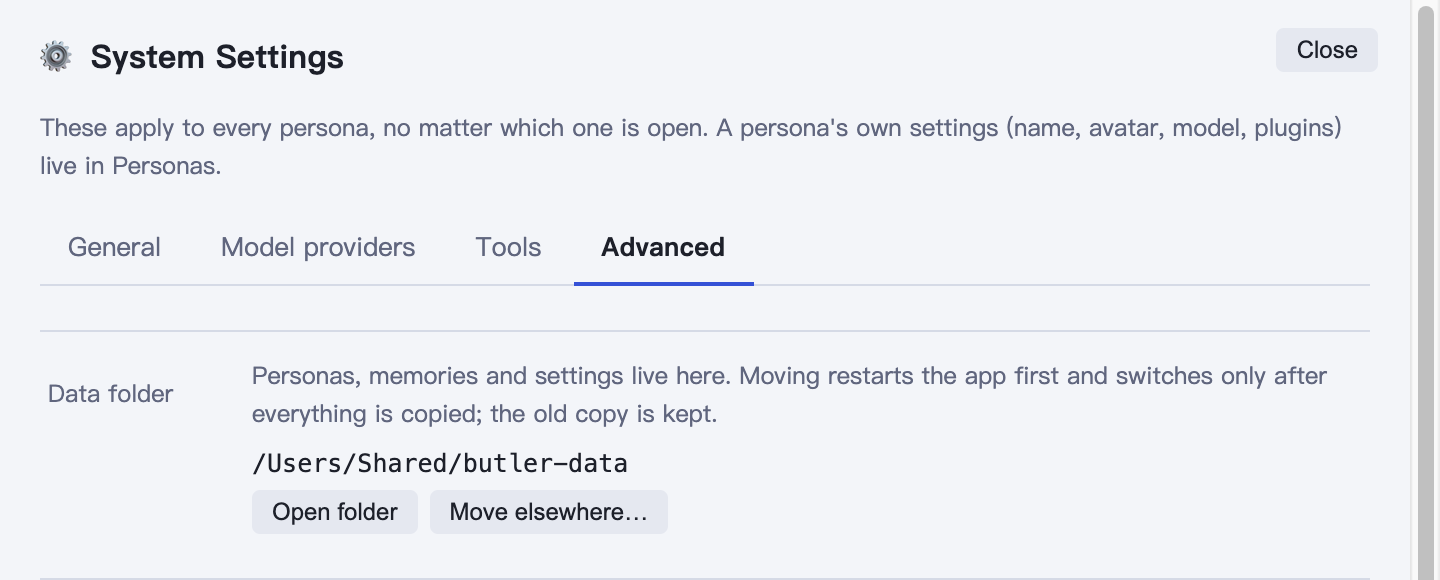
To see where it is now, or move it to another drive, open Settings → Advanced → Data folder. It shows the current path; Open folder opens it in Finder or Explorer. With Move elsewhere…, pick a new folder and the app restarts, copies everything over, and switches only if the copy succeeds. The old copy is left untouched — delete it yourself once you've checked everything is fine.
Only one copy of the app can run on the same data folder. Opening it again while it's running just brings the open window to the front.