
Plugins
You don't need to know how to code. Just tell your persona what tool you want.
A plugin is a small tool with its own interface: an expense tracker, a to-do board, flashcards, a timer, a mini game, and so on. Your persona writes it, installs it, and opens it for you on the spot.
Have your persona build one for you
Describe what you want in plain language — the more specific, the better:
Build me a Tetris game.
Build me a small expense tracker: it should log how much I spent and on what, and show monthly totals.
My kid needs to practice tracing Chinese characters — build a tracing exercise.
It will write the plugin, install it, and open it so you can see it.
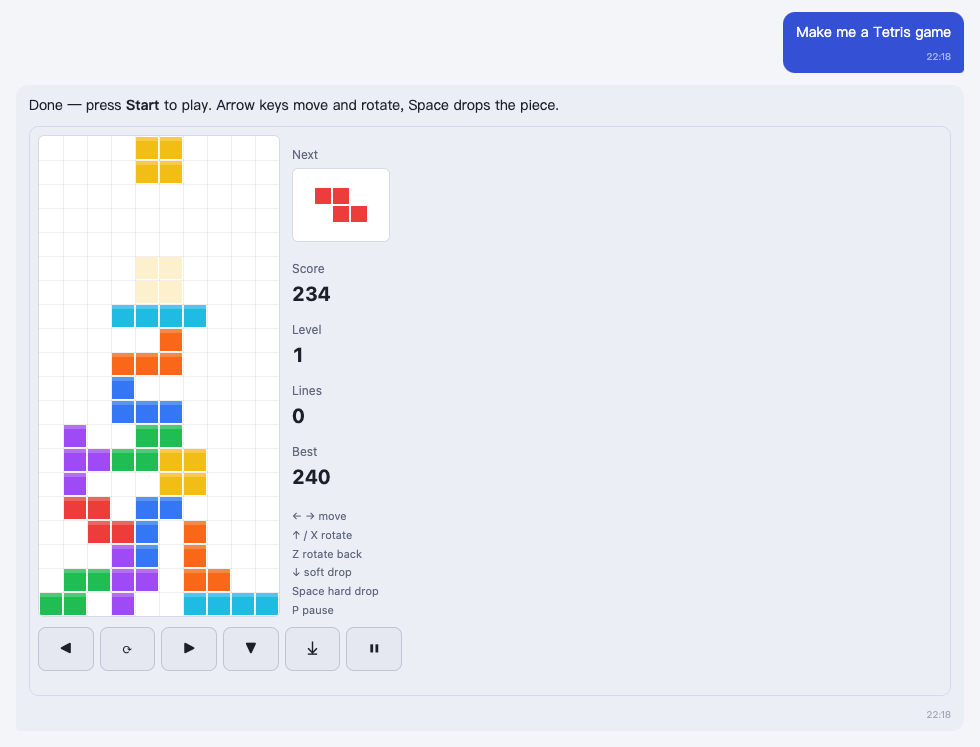
If you're not happy with it, just keep talking:
Make the blocks fall a bit slower.
Add a pie chart broken down by category.
A plugin you've had built stays around — next time, just say "open the expense tracker" and it comes right back.
Using existing plugins
Ask it what it has:
What plugins do you have?
Is there one for a pomodoro timer?
It will find it and open it for you. For ones you use often, you can have it pin them to the side of the window:
Pin the to-do board.
Are plugins safe
- Plugins run in an isolated sandbox and can't touch your files or system.
- They can only do a few things: show an interface, store their own data, hand results back to the persona, fetch data from sites you've approved, and so on.
- Plugins that need a key store it in your local vault — the plugin itself never sees the raw value.
- Plugins from outside sources must pass a signature check before they can be installed. Plugins your persona writes for you live on your own computer and don't need one.
For developers
A plugin is just a JSON file — drop it into the packages.local/ folder in your data directory and it installs automatically, no restart needed. See Developers for the format, available capabilities, and examples.